
Stores communicate with customers through more than one channel: signs, screens, sound and promotions. A recent trade news item (see the source note at the end) reported on a software platform that manages digital signage, in-store music and voice announcements from a single dashboard, with scheduling, playlists and separate zones for different parts of a store. It is aimed at sectors such as retail, hospitality, quick-service restaurants and offices.
This article is not about software. We take one idea from that news, the idea of zones, and apply it to physical signage: which sign type suits which part of a store.
Why zones are a useful way to plan store signage
Different parts of a store ask different things of a customer. At the entrance, the customer needs to recognise the brand. In a waiting area, the customer needs to know what to do next. At the checkout or pick-up point, the customer needs a clear instruction. Planning signage zone by zone helps each sign carry one clear message.
Three sign types and the job each one does
- Static wayfinding signs: long-term identification and direction. The information rarely changes, so a durable fixed sign is a practical choice.
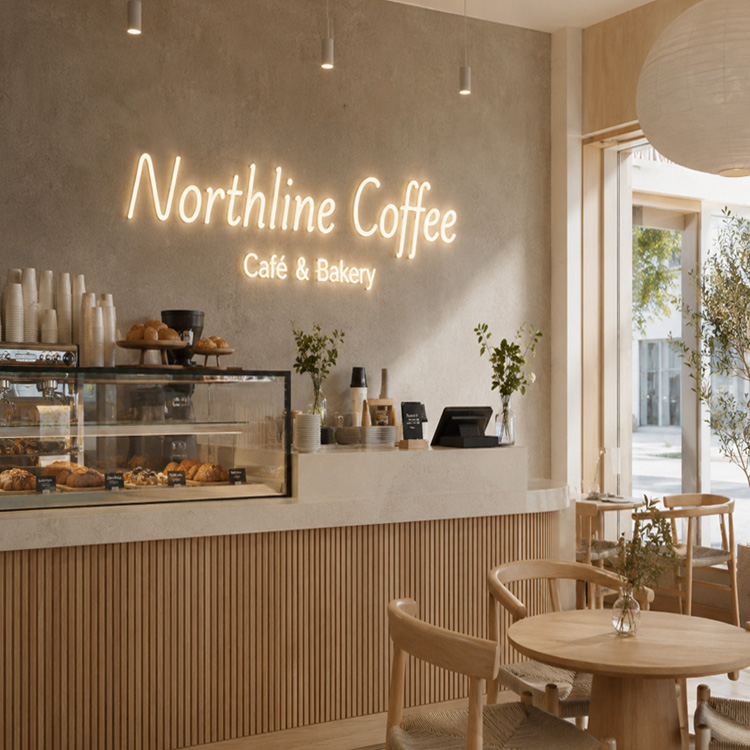
- Backlit logo signs: the brand anchor. A halo-lit or illuminated logo gives a zone a clear visual centre.
- Digital displays: variable content such as menus, offers and queue information. Screens and their content software are specified separately from fabricated signs.
Applying the three types by zone
Entrance
The entrance is where the brand is identified. A backlit logo or dimensional lettering can act as the anchor, with a small number of static signs for opening hours or directions.
Waiting and queue areas
Static wayfinding signs can mark where to queue and where to go next. If the store uses digital displays, this is a common place for content that changes during the day.
Checkout and pick-up points
These zones benefit from clear, fixed identification, such as an illuminated or dimensional sign above the counter, so the point is easy to find from across the store. Changing information, such as order status, is better suited to a screen.
Our notes for buyers
- Separate what is fixed from what changes. Fixed information suits fabricated signs. Changing information suits screens.
- Plan power and mounting early. Illuminated signs and screens both need power and suitable fixing points, so it helps to coordinate the sign layout with the display or AV supplier before fit-out.
- Keep finishes consistent across zones. Using the same materials, colours and lighting colour temperature helps the zones read as one store.
Planning signage for a store or a chain?
Send us your floor plan, the zones you want to identify and your logo files, and we can discuss which fabricated signs could suit each zone. Contact Sunpin Sign to discuss your project.
Source: Retail4Growth. Original article: https://www.retail4growth.com/news/ai-powered-consolidated-platform-for-in-store-audio-8221. This article is written by Sunpin Sign in its own words and is provided for general information only. It does not describe any Sunpin Sign software or audio product. Sunpin Sign is not affiliated with Retail4Growth or with any company mentioned in the original article.